[E-top industry knowledge, 16th November,2025]
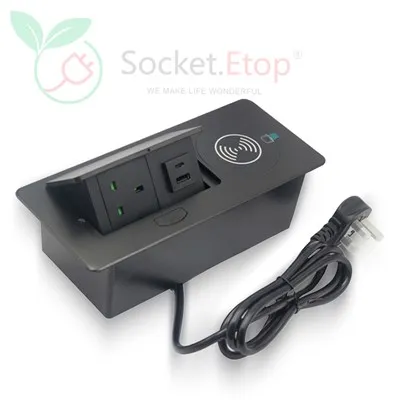
A desktop socket is a type of socket that conceals the computer's video control interfaces and audio/video connection ports. It is also easy to install. Its perfect design allows for convenient installation on almost any table surface. After installation, the socket closes neatly to ensure a flat surface, while also concealing the control interfaces and connectors.
1. Can be quickly and arbitrarily combined and spliced into different lengths, and configured with modules of corresponding lengths;
2. After assembly, it presents a certain angled surface, featuring a highly user-friendly design structure that conforms to ergonomic aesthetics;
3. Easy and flexible installation; multiple units can be spliced together; small size and minimal space occupation;
4. Currently the most high-end and aesthetically pleasing multi-functional combination socket device in its class;
5. Safe and convenient plug-in/plug-out interface.
After installation, the wiring panel remains flush with the tabletop. The user presses down on the top of the wiring panel to release a mechanical lock, and the panel quickly springs back up (vertically or at a 45-degree angle to the tabletop). The junction box panel integrates all necessary power, network, video, audio, USB, and XLR interfaces into a single, clear, and user-friendly design. When the user leaves and the socket is no longer needed, a gentle press on the top of the panel causes it to sag and lock automatically, restoring the desktop to a flat surface. Convenience and a neat, aesthetically pleasing design are the biggest differences and advantages of desktop sockets compared to traditional power strips. However, correspondingly, the price is significantly higher.